
How to stop receiving email notifications?
Updated Dec 06, 2025
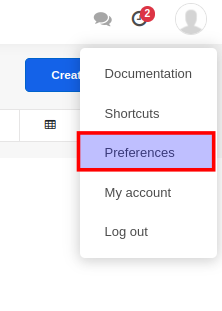
By default, AccelGrid sends email notifications for certain events that require your attention. However, you can turn off these email notifications in your profile page. To access your profile, click on the Preferences link under the user icon button.
On the profile page (Preferences Tab), set the Notifications management field to Handle in AccelGrid