How to configure email?
AccelGrid has default mail servers that let you send and receive emails out of the box. However, you can also configure your own email servers.
If you are using Gmail mailboxes, follow this guide to create and use app passwords.
Enable external email servers
To use your own email server, go to Settings -> General Settings and enable External Mail Servers. Enter the domain name of your mail server (ex. abc.com) in the Alias Domain field.
Setting up an outgoing mail server
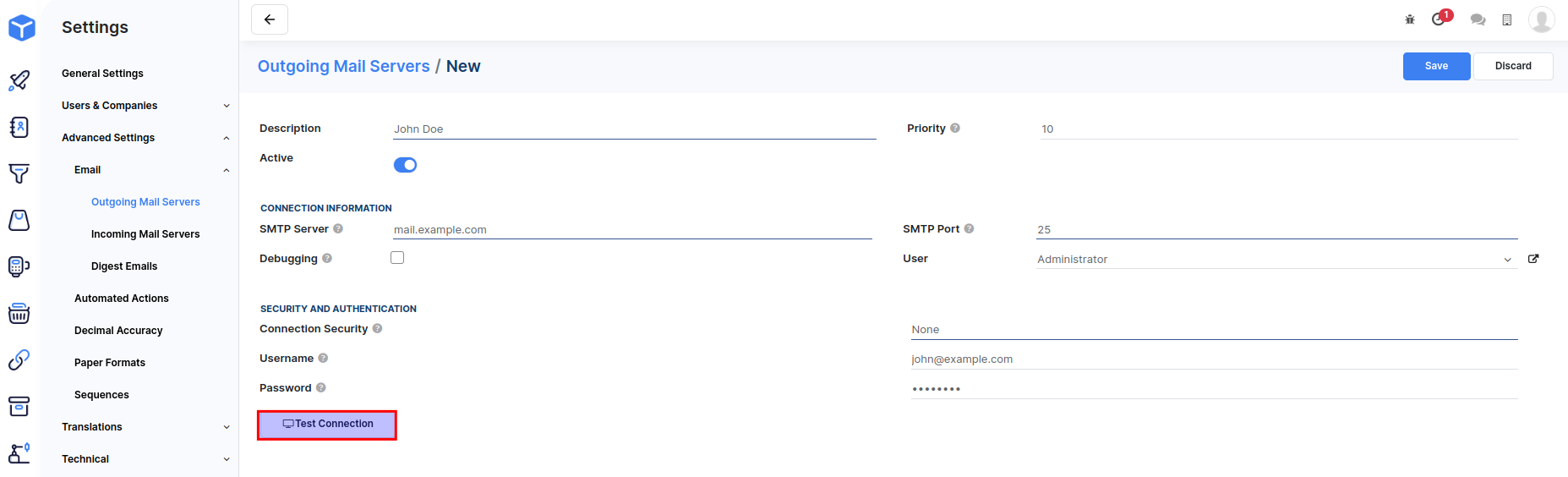
Go to Settings -> Advanced Settings -> Email -> Outgoing mail servers and click Create.
Enter your mail server's SMTP details in the form. Your mail hosting provider should be able to provide you with the details.
Click on the Test connection button to confirm that the configuration is successful.
Setting up an incoming mail server
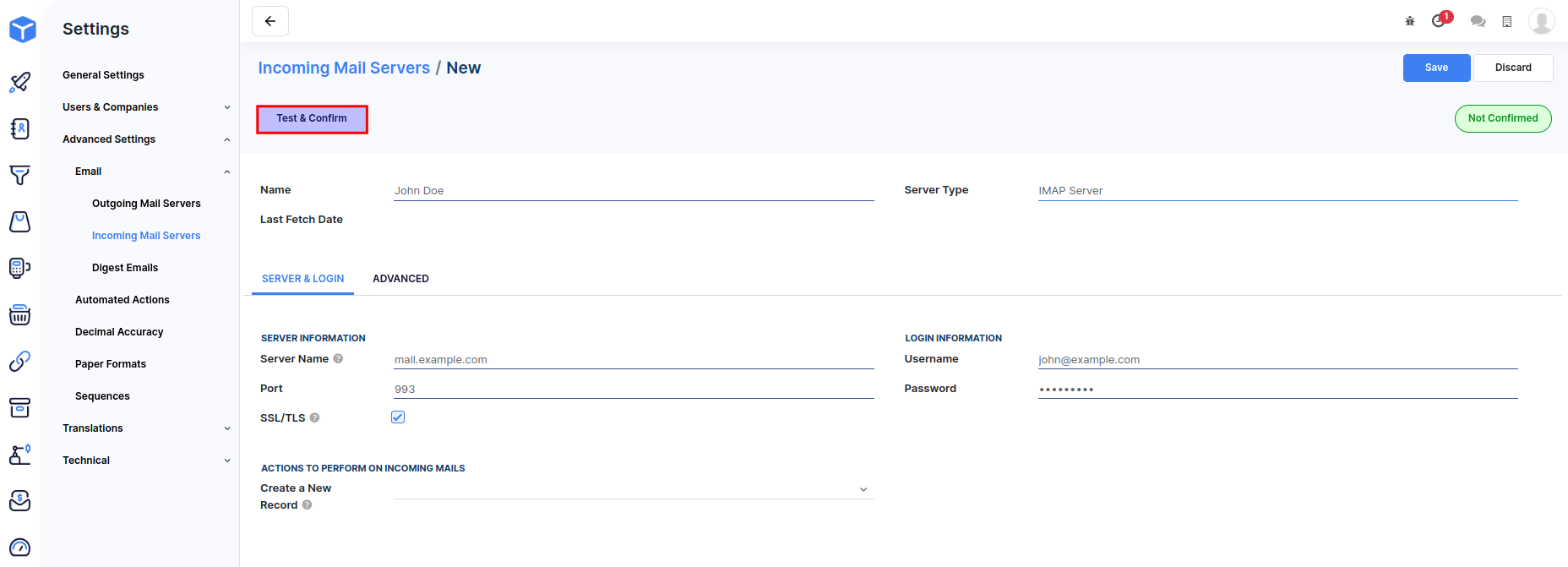
Go to Settings -> Advanced Settings -> Email -> Incoming mail servers and click Create.
Enter your mail server's IMAP/POP details in the form. Your mail hosting provider should be able to provide you with the details.
Click on the Test and confirm button to confirm that the configuration is successful.