
How to configure dropshipping?
Updated Dec 06, 2025
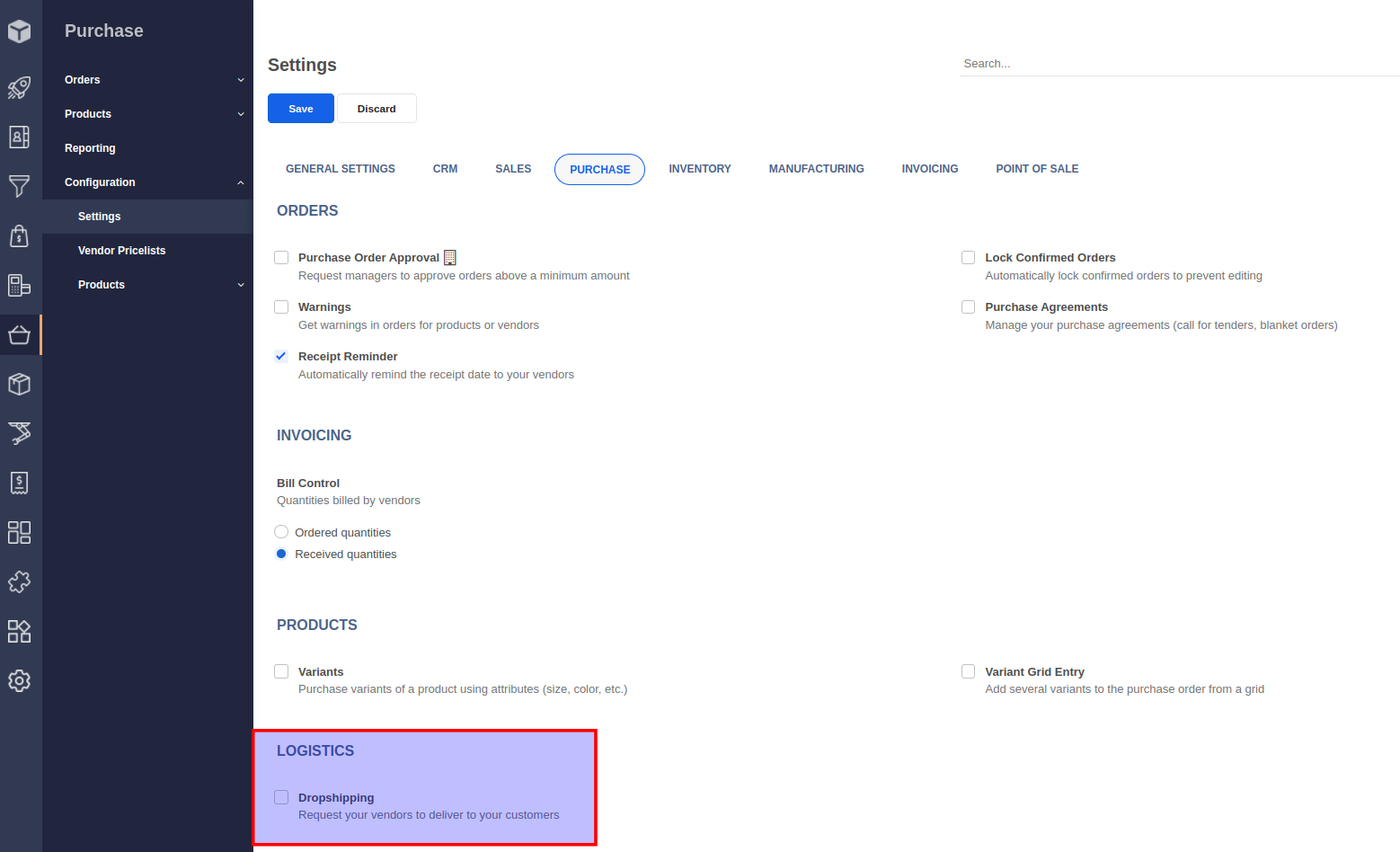
To use the dropshipping feature, you must enable the Dropshipping option from Purchase -> Configuration -> Settings menu and click on the Save button.
Once you have enabled the dropshipping setting, you will find a new route called Dropship in the product form under the Inventory tab.
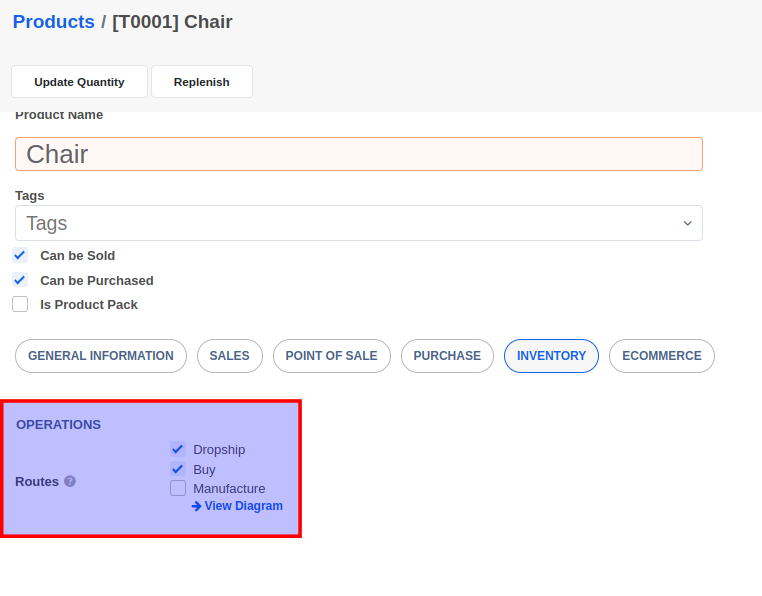
By enabling the Dropship route on a product, a Request for quotation (Draft PO) will be automatically created when a sales order for the product is confirmed. The draft POs can be accessed using the Purchase -> Request for quotation menu. The Purchase Order when confirmed will result in the creation of a dropship transfer that must be processed once the vendor has shipped the items to your customer.