Managing followers of a quote/order
Updated Dec 06, 2025
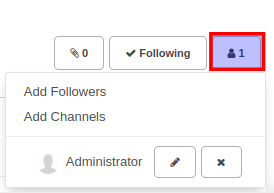
The Followers feature is a great way to keep your team members notified of important updates to specific quotes/orders. Updates include updates to certain fields like the status, salesperson, and also messages sent and received on the quote. To manage followers of a specific quote/order, simply scroll to the chatterbox section of the quote/order form and click on the Followers icon. By default, the quote's salesperson is automatically added as a follower.
To invite new followers using the Add Followers link and remove existing followers using the remove icon.
Use the Add Channels link to automatically push updates and notifications to a discussion channel.